Content Layout Customization

I’m starting work on a number of content layouts, and I want to give editors some options to customize them. Ultimately, I want to determine the best way to do it.


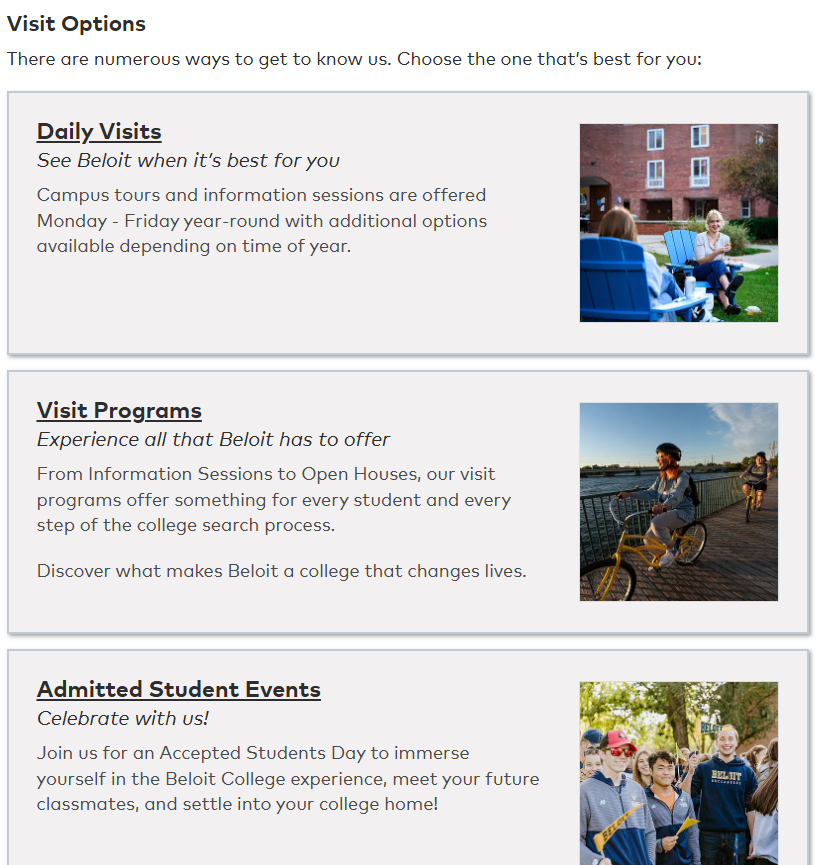
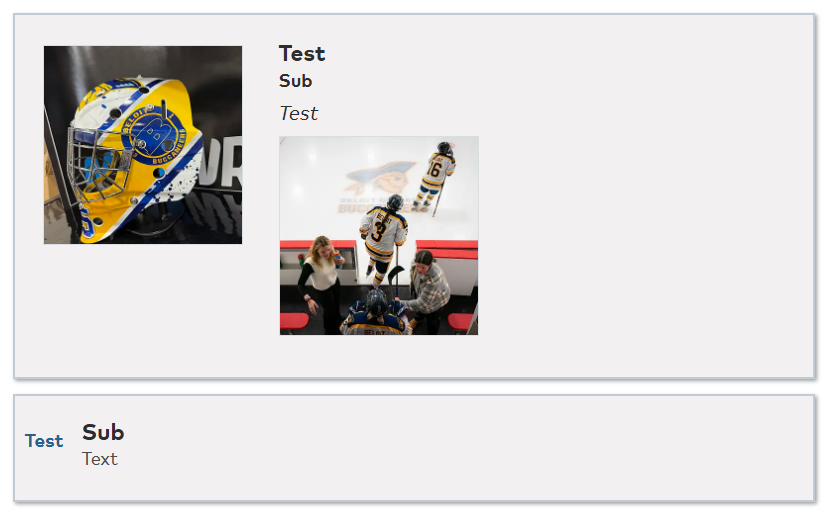
For example, I have a “picture card” layout:

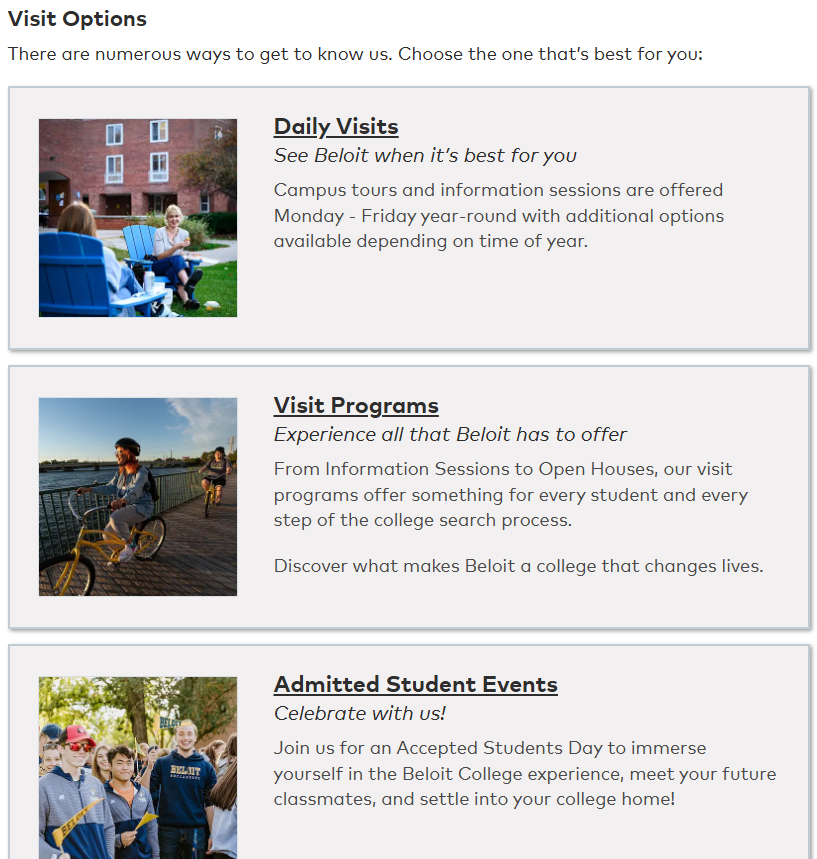
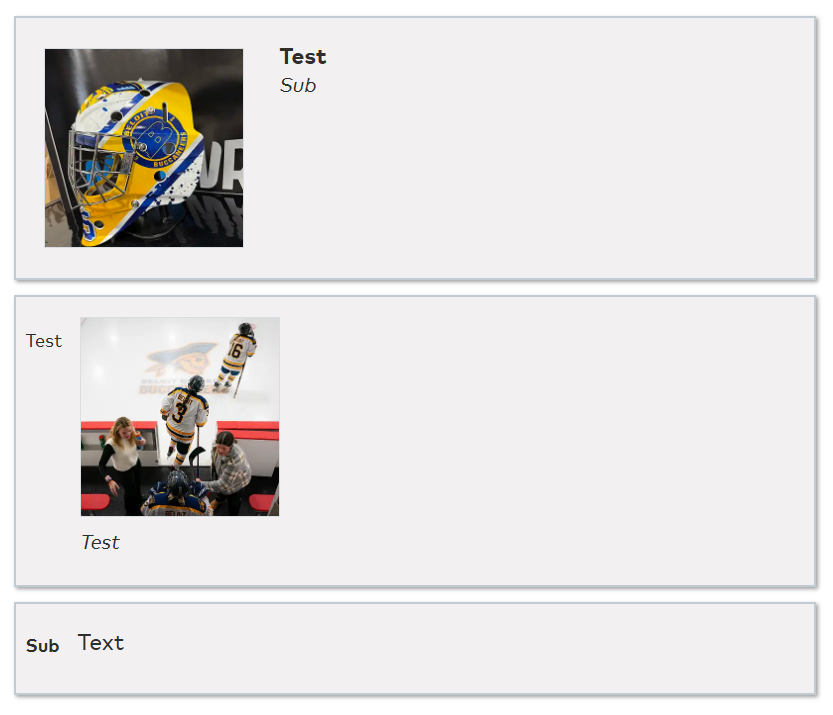
And I have an option to invert the position of the text and images:

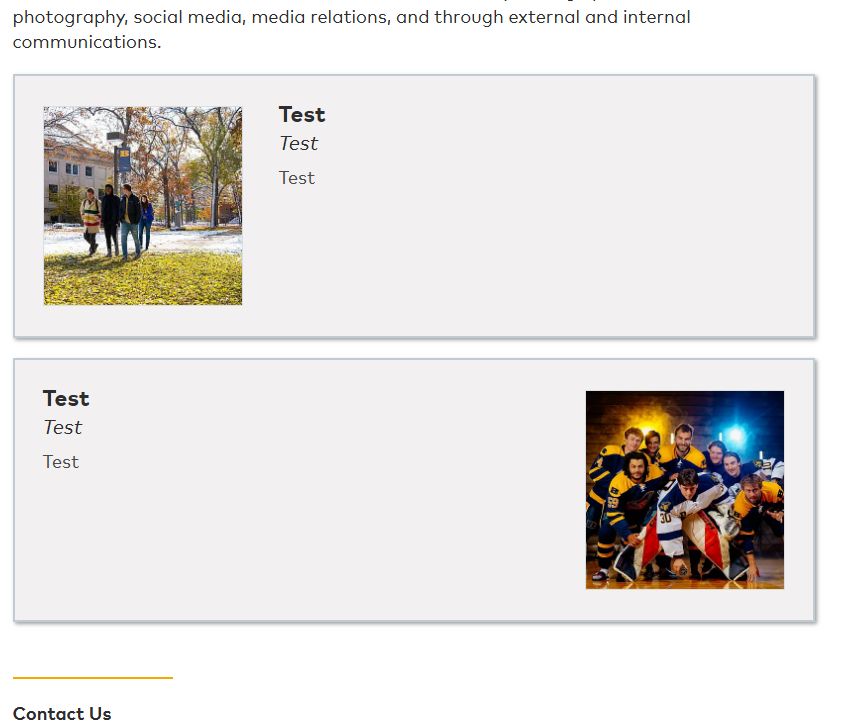
And a new layout I’m looking to do may involve alternating per item, like this:

And we can imagine other options: different color schemes (all or individual), multiple columns in wider pages, etc.


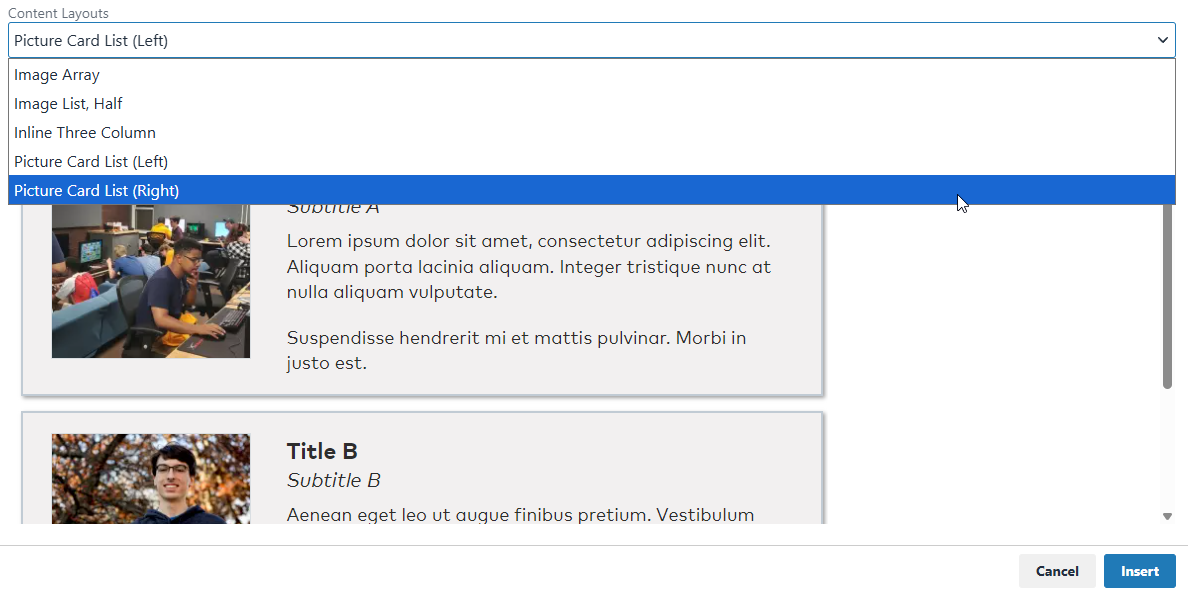
For the existing content layout, I initially made two copies of the same layout, but one with a invert class to move the image to the other side:

Having multiple copies of nearly identical This doesn’t seem ideal, especially if we start to get into multiple dimensions of customization. Pushing things a bit: 3 layouts, 2 colors, 2 column options = 12 content layout definitions. Eeek!

Given I’m just adding/removing classes, I considered the possibility of using STYLE_FORMATS definitions to modify a content layout once its on a page. This could allow for a single content layout with many CSS edits available, with multiple layouts reserved for where changes are needed to the HTML of the layout.

array('title'=>'Picture Card - List - Invert', 'selector'=>'div.picture-card-list', 'classes'=>'invert'),
array('title'=>'Picture Card - Item - Blue', 'selector'=>'div.picture-card', 'classes'=>'blue')

These appear to work as expected, with one exception. These styles aren’t easily applied/removed from elements with the mceNonEditable class.

<div class="col picture-card-list mceNonEditable"> <!-- Can't easily change. -->
  <div class="row picture-card lw_layout_block">  <!-- Can change. -->
    <p>content</p>
  </div>
  <div class="row picture-card lw_layout_block">  <!-- Can change. -->
    <p>content</p>
  </div>
</div>

If I remove the mceNonEditable class, then the style selector works as expected. Great, most of what I was looking for, assuming I can find a way to rework the existing layout and make the whole-layout classes easily applicable in future layouts.


Some questions for the group:

  1. For those using content layouts, how have you handled customizations like this? Any approaches or opportunities I’m not considering that may be preferable?

  2. For LiveWhale, should we be expecting any additional options to customize content layouts in the near future with 3.0, either in content (e.g. include/exclude subheading) or styles (e.g. add/remove CSS class)?

Hi Nick – I’m sure Jon can weigh in more thoroughly but I think this is similar to some of the concepts he raised here.

The one part that I’d say from the LiveWhale product perspective is, when Jon mentions in the other thread

We are not using Content Layouts v2, because adding things like classes and data attributes to the whole layout using the Formats menu does not work in v2. I’d love to see that change in the future, but for now, we’re sticking with v1.

The tricky piece is this: Content Layout v1 essentially stamps out static HTML blocks into the WYSIWYG page editor. So, once they are saved, that static HTML gets saved with each story/page/event/profile/etc, and so there’s no easy way to guarantee consistent HTML across all instances of a CL. (Once it was stamped out, you were kind of stuck with whatever HTML was used.) 90% of the time, we found in our projects that you’d want to go back and tweak the HTML inside of the content layout .xml file, but it was too late if the CL had already been stamped out dozens or hundreds of times.

That’s why we built Content Layout v2: the stamped out version when saved gets transformed to just a <widget type="content_layout"> behind the scenes with multiple <arg id="editable"> for each editable area within. Then, on front-end rendering, the HTML formatting from the .xml file gets used each time on the front-end, meaning you can change the HTML once (there) and it’ll immediately take effect everywhere that CL was used.

The main compromise to that approach, as you and Jon have both found, is that in order to do that, we essentially “lock” the HTML outside of editable areas so it always matches the .xml content layout definition. That’s why Style Formats and other tricks (Editing source, etc) doesn’t work to add class=“left” or class=“background-blue” to those CLs—on save, CLv2 discards all the preview/outer html and just saves the inner editable content in the <widget> format.

All that being said: I can certainly envision some sort of expansion (CLv3?) that would take the principles of v2 but allow some sort of outer class=“{variable}” to be used, such that editors could pick between picture-left and picture-right, or background-blue and background-orange. But, that’s not currently on our roadmap. Since the concept of “having a few different CLs for the different layout options and/or color schemes” works as-is, I don’t necessarily see that getting prioritized soon. But, always happy to see or participate in further conversation about it!

I’m on vacation so I won’t say much. But I’m waiting for everyone else to be ready so I’ll say a few things. :stuck_out_tongue_winking_eye:

Most of our content layouts have multiple variations that we change using the style menu. As in my previous post, that’s why we’re sticking with CLv1 for now.

Since CLv2 are basically widgets, I would love to see them support changing styles using the <arg id="class">foo</arg> argument. Apply a class using the styles dropdown. Save that to the arg when saving.

In the meantime you could try using classes that get added via the style menu to elements inside editable areas. Then use CSS :has(.foo) on the outer element.

Hmm…this is a tricky set of conditions and implications to work through.

  • I’m intending to make a highly customizable main page for our marketing groups, where we can add content layouts to a main column to customize the layout to best meet their various needs (e.g. Admissions, Academics, About Us, Giving, etc.)
  • One goal is to try and put the ability to customize these pages in the hands of editors while keeping things easy and intuitive. One universal page template, avoiding custom blurb/profile types and widgets for each block they want to add, for instance.
  • I want the updatability of CLv2, so if there’s a need to update layout structure, we don’t have to find an restamp all the relevant pages.
  • I want the customizability of CLv1– choose the layout type you want, then the options for appearance– to avoid having excessive layout definitions, needing to make and maintain various iterations, etc.

CLv2 Bug?

I converted one of my content layouts to use CLv2 and played around with them a bit. I see what you mean about class/styles not applying, and why it is. I also stumbled on some odd behavior.

  • I added a content layout where each block has 4 editable regions.
  • I added some content to each editable region of two blocks and saved on a page.
  • I edited the original content layout definition to add another editable region.
  • When I refreshed the page, the saved content was added linearly, bringing the first editable region content of the second block into the first block.

If I attempt the opposite, moving from 4 to 3 editable fields, we see a similar result:

So, CLv2 can be edited, assuming the editable fields never need to change number, order, or purpose. So, for instance, I couldn’t swap the text/image in the HTML because the data would be applied assuming the original order. Seeing this, I think I’m leaning towards following Jon’s example and sticking to CLv1…


Ideas for a CLv3

Thinking through all this, I feel an ideal CLv3 content layout would be something like, “a profile widget that uses page-defined data.” Especially for layouts with lw_layout_block and potentially infinite blocks, something that provides widget-like structure without needing to define custom type(s), working in the dashboard, unique tags, etc.

To give some idea of what’s in my mind, with no assumptions of feasibility and no expectations for anything like this:

Configuration

<widget type="template">
  <title>Picture Card List</title>
  <description>Create an array of cards with an optional image. Ideal when each item has an image, or for instances where lists need more than a list, less than an accordion.</description>
  <content>
    <div class="col picture-card-list" data-lw-layout-classes="true">
      <div class="row picture-card lw_layout_block" data-lw-block-classes="true">
        <div class="picture-card-image editable" data-lw-editable-name="image">
          <div class="lw_layout_image" data-width="200" data-height="200"/>
        </div>
        <div class="picture-card-text">
          <div class="picture-card-title editable" data-lw-editable-name="title">
            <h3 data-lw-placeholder="Add Title (H3)"/>
          </div>
          <div class="picture-card-subtitle editable" data-lw-editable-name="subtitle">
            <h4 data-lw-placeholder="Add Subtitle (H4)"/>
          </div>
          <div class="picture-card-body editable" data-lw-editable-name="body">
            <p data-lw-placeholder="Add Text, Links, etc"/>
          </div>
        </div>
      </div>
    </div>
  </content>
  <args>
    <arg id="layout_class_options">blue, image-right</arg>
    <arg id="block_classes_options">red, yellow, blue, image-left, image-right</arg>
  </args>
</widget>

Editor Experience

  • Overall experience is the same: add a layout to a page, add or remove blocks, add content to defined editable fields, reorder blocks.
  • If layout_class_options is defined, then can use a UI to choose predefined classes/styles to apply to this instance of the content layout. (Bonus: a way to define what each class does.)
  • If block_class_options is defined, then can use a UI to choose predefined classes/styles to apply to apply to the current block. (Bonus: class definitions.)

Saved Widget
A very rough idea, given I don’t know what data structures are possible.

<widget type="content_layout">
  <arg id="type">picture_card_list</arg>
  <arg id="layout_classes">image-right</arg>
  <arg id="block_1">[image: "{image widget}", title: "Apples", subtitle: "Any color, any season.", body: "<p>This is why you need to eat more apples.</p>", classes: ["red"] ]</arg>
  <arg id="block_2">[image: "{image widget}", title: "Bananas", subtitle: "Enjoy as-is, or in pudding.", body: "<p>This is why you need to eat more bananas.</p>", classes: ["yellow", "image-left"] ]</arg>
  <arg id="block_3">[image: "{image widget}", title: "Chokeberries", subtitle: "Gotta keep the pattern going.", body: "<p>This is why you need to eat more chokeberries.</p>", classes: ["blue"] ]</arg>
</widget>

Intended Results

  • Defined classes for the layout and blocks could allow for developers to have one content layout definition with many CSS variations.
    • The lw-x-classes is how developers define which element should receive the classes.
  • Named editable fields could help keep content in the intended spaces when the editable regions in the content layout definition are changed or reordered.
    • If a new editable region is added and not defined in an existing layout’s data structure, it is assumed to be blank. The region is defined in the data structure on save.
    • A risky situation lingering would be the behavior of the system when a developer needs to remove or rename an editable region.

If nothing else, one can dream. :wink:

I’m also hoping CLv3 solves some of these issues, but in the meantime v1 works well enough for me. I don’t find myself needing to change content layout structure very often. When I do, I don’t necessarily have to change all instances immediately.

Here is an elaboration on my earlier idea…

<div class=“cl_container”>
    <div class=“block lw_editable”>
        <p class=“container_flipped”>content here </p>
    </div>
    <div class=“block lw_editable”>
        <p class=“block_blue”>content here </p>
    </div>
</div>

<style>
    .cl_container {
        display: flex;
    }
    .cl_container:has(.container_flipped) {
        flex-direction: row-reverse;
    }
    .block:has(.block_blue) {
        background: blue;
    }
</style>

Since the paragraphs inside the editable area can retain classes applied in the styles dropdown, they can be used to apply styles to the whole layout using :has().

This could solve most of the issues, but not the issue of adding removing editable areas.