I thought I’d share something I recently finished, mostly just to show off something I think is cool, but also maybe to inspire some future LiveWhale improvements.
I created a new Content Layout for accordions that replaces native LiveWhale accordions. This has the somewhat obvious benefit of getting the add/remove/up/down buttons that come with Content Layouts. It’s easier for people to manage than the native accordions built on tables (in the editor, anyway).
But the way I built the content layout comes with some other benefits.
- Instead of using the legacy markup for accordions, which is composed of divs and buttons, and relies on JS for the functionality, I used
<details>and<summary>elements. These can be styled with CSS to look just like our old accordions, but they do not need JS, plus…- Accessibility is built in.
- Linking to anchors inside accordion sections works out of the box.
- Content inside collapsed accordion sections can be found when using “find in page” (cmd/ctrl f). This can’t be done with JS.
- I built the accordions in such a way that I can change the heading level that the sections use, so we aren’t locked into the default H4 headers. This is better for accessibility because we can customize the heading level to match the structure of the page, and headings inside accordion sections can be adapted as necessary.
Here is what it looks like when editing my new accordions…
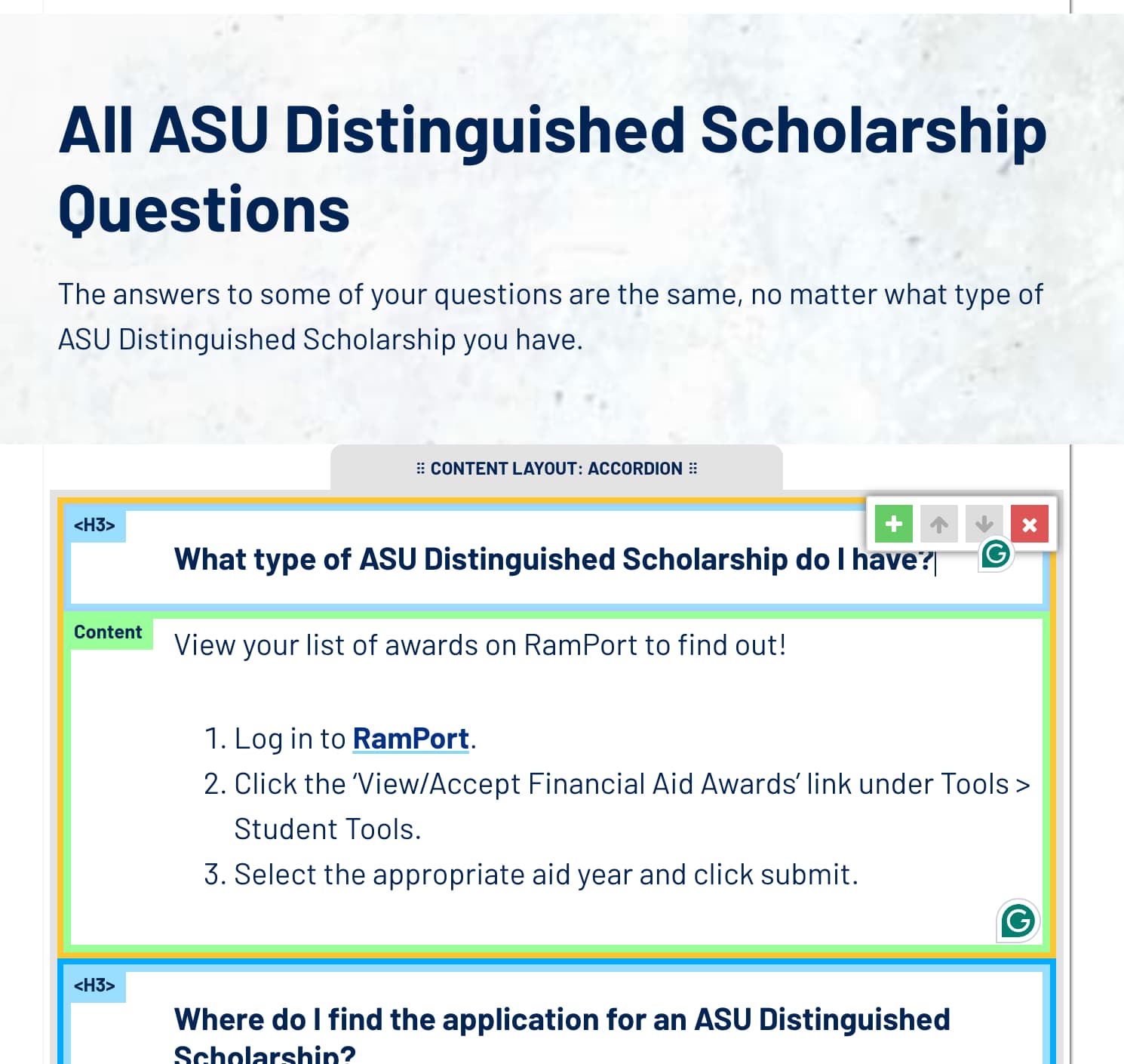
The heading level is displayed as a badge on the heading sections. Notice how this one uses an H3 because it follows a previous H2.
But the way you change the heading level is pretty cool, IMHO…
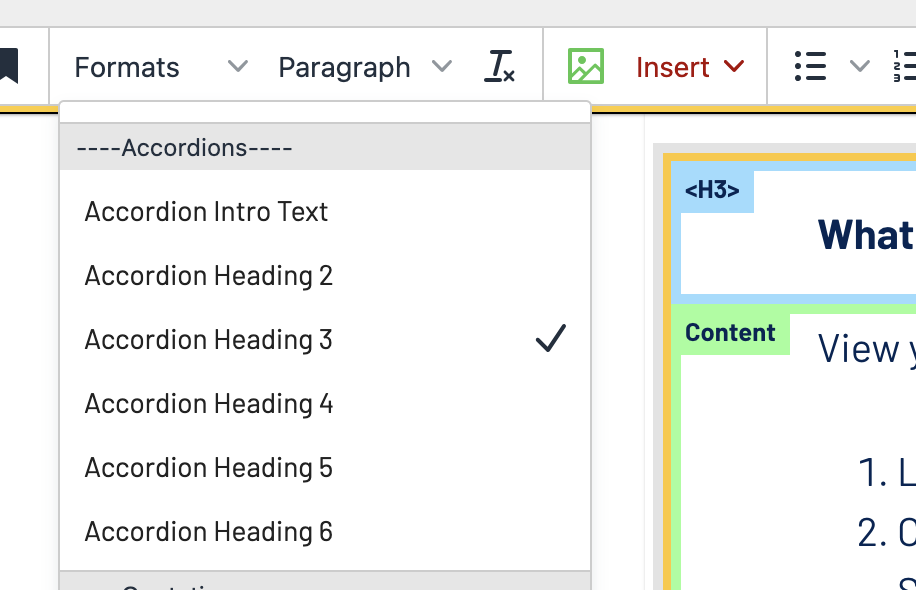
You click the “Formats” dropdown to change what level is selected. Choosing a different level there updates the badge…
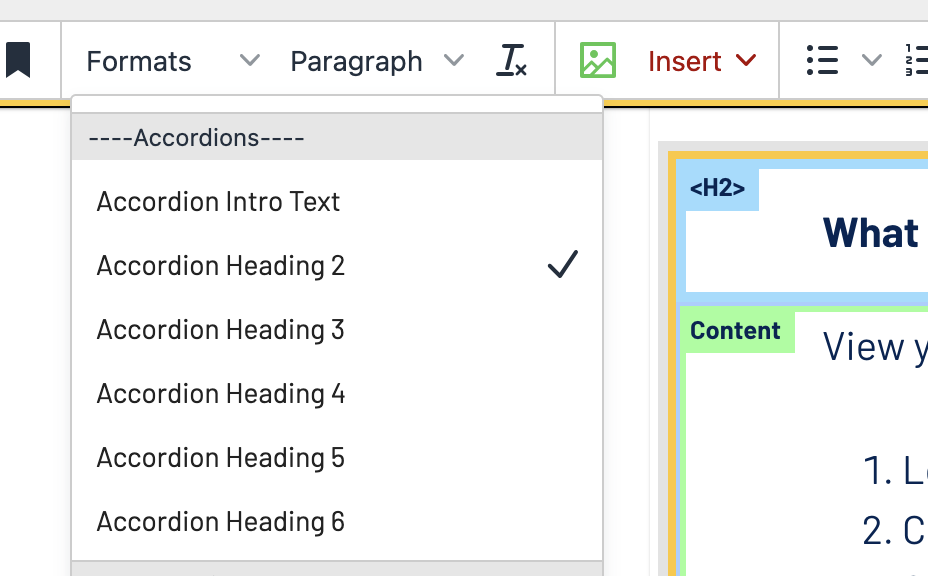
This is done by using the Formats menu to set a data attribute on the accordion block, i.e. data-heading-level="2". Using a data attribute instead of a class allows the formats to be mutually exclusive. Selecting one will remove the previous selection.
Then I use CSS :before content to add the proper badges based on what level is selected.
There are some caveats to this method:
-
You cannot use
<details>or<summary>elements directly as editable regions in a content layout. So I am using<div>s that get replaced with their respective elements when the page loads. -
The heading elements themselves are not added directly in the content when editing. I am just using the data attribute to indicate what heading level it will become. The headings themselves are added inside the
<summary>elements, again when the page loads.So I lied when I said these don’t need JS. I am using JS to transform them into the proper markup. But there is no JS needed for the functionality once transformed.
-
We are not using Content Layouts v2, because adding things like classes and data attributes to the whole layout using the Formats menu does not work in v2. I’d love to see that change in the future, but for now, we’re sticking with v1.
-
Some browsers do not yet support the CSS needed to animate the opening and closing of
<details>elements, if that matters to anyone. Chrome-based browsers are good, but Firefox and Safari are not. I consider that progressive enhancement and am OK with it.
Anyway, that’s my new Content Layout Accordions in a nutshell. We are excited about using them and have already converted hundreds of old ones to these. I hope this inspires someone else to go build something cool.