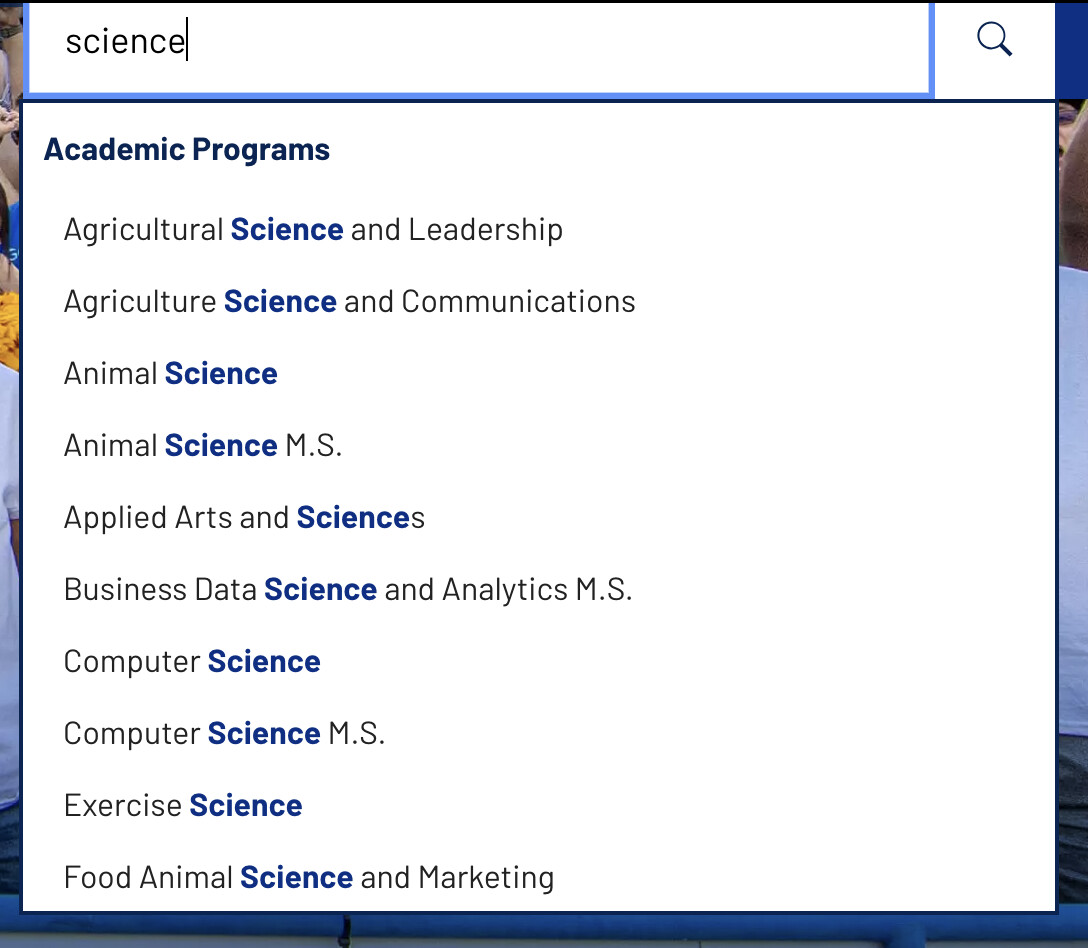
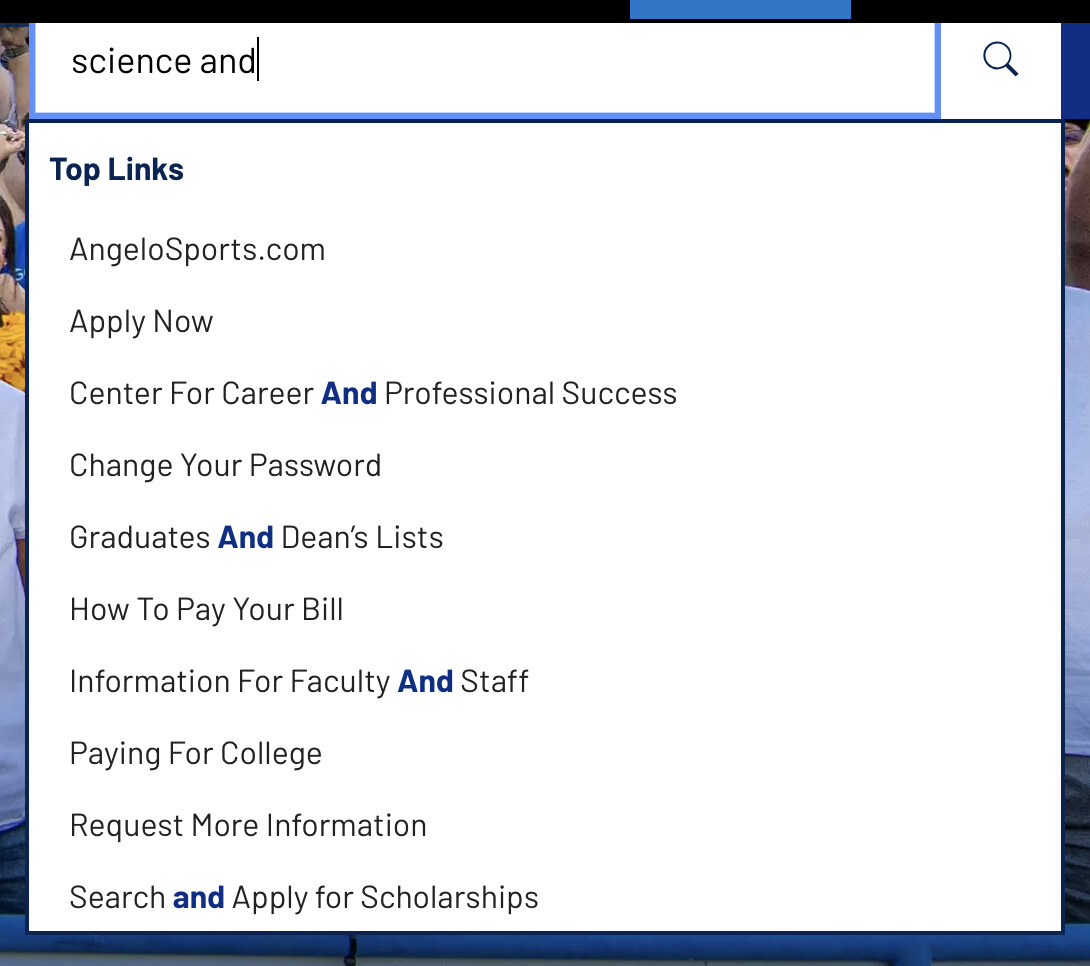
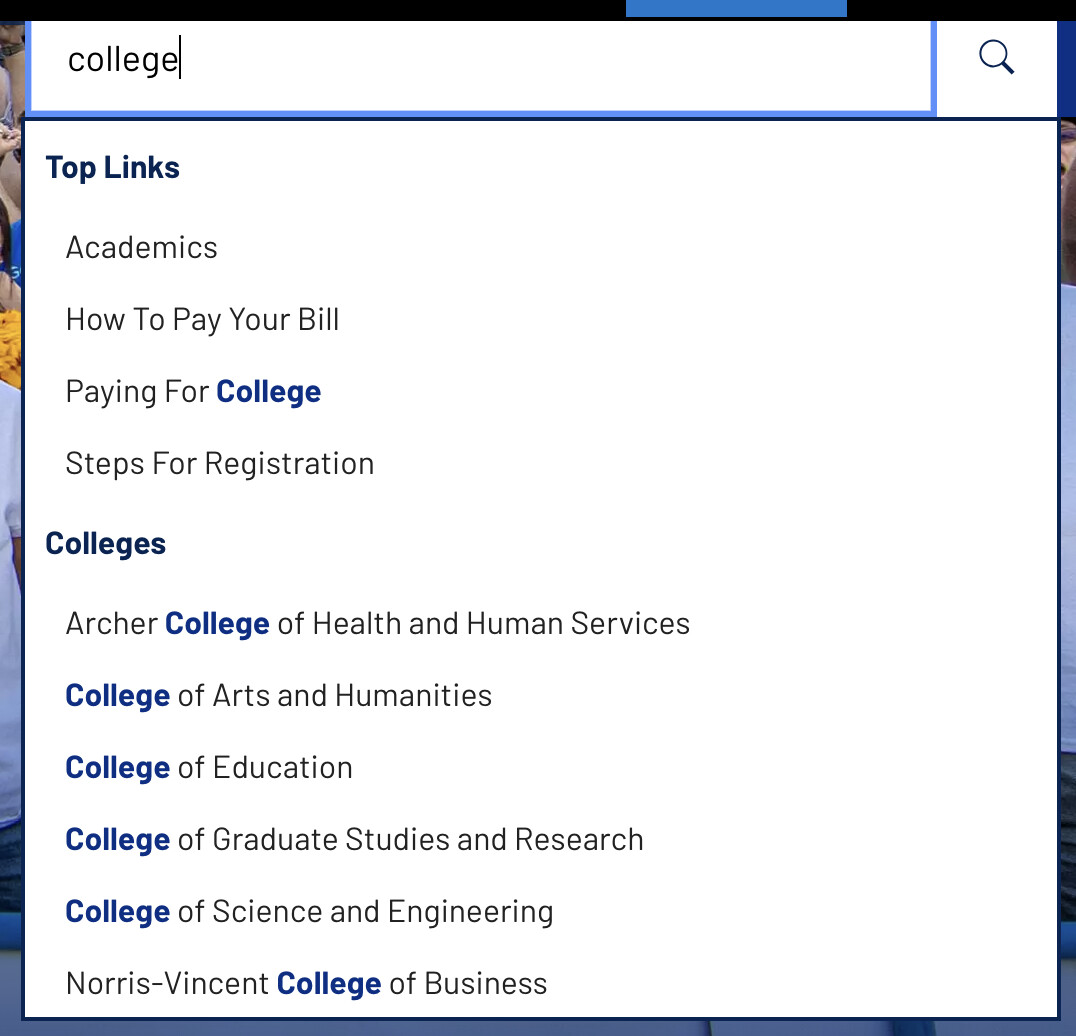
When trying to search for something like the College of Science and Engineering in the search box on https://www.angelo.edu/, the QuickAccess results act weird.
If you just type “science” you get a bunch of other results, but we limit it to 10 results, so it isn’t listed.
Thanks for these examples–I see exactly what you mean there, how odd. We’ll take a closer look and do some testing on our installs and see what we’re able to figure out. Thanks for flagging this and more soon!
Rachael
We haven’t been able to reproduce this behavior on other installs with Quick Access. It looks like in your theme, you’re using a customized version of QA. One possible thought is that your themed version is out of sync with the core version.
A next step could be to compare the two files: your themed version (themed copy: /_ingredients/themes/global/scripts/0-jquery.quick-access.js) to the core version (core version /livewhale/plugins/jquery/jquery.quick-access.js) and check for any differences—we know there’s been updates in core and you may not be getting something that’s had improvements or fixed (Release Notes • Release Notes). If you see significant changes in the core version, you may want to merge those updates into your themed copy.
And if you’d prefer, feel free to reach out via your personalized support email and we can take a closer look at the files with you to help determine what’s going on.
Hope that helps point you in the right direction! Thanks Jon,
Thanks for the update. I’m not sure I realized we were using a themed version, but we’ve been using it for so long that nothing surprises me. I’ll take a look and do some testing.
@rachael I tried removing the quickaccess JS file from our theme (on dev), and now it doesn’t work at all. I get the following error from our theme JS where we initialize quickaccess on our search input.
Uncaught TypeError: $(...).quickAccess is not a function
I can see that the core quickaccess js file is loading on the page before the theme JS. Is there something else I need to do to get it to work?
I figured out the solution to my original problem, that search results are not great. It was because I had set the sortByScore option to false. I’m not sure why I set that in the first place, but I suspect I was trying to keep my categories in a specific order. I removed that option, and the QA results are much better.
That being said, I am still curious why QA doesn’t work when I remove the JS from my theme. As part of troubleshooting, I removed the custom QA code and tried just using data-attributes on the search box. That worked with just the core QA script loading, but I prefer my own JS for more control over the categories.
For now, I am just going to copy the core QA script into my theme so I have the latest updates, but I’d eventually like to remove it from the theme so it stays up-to-date.
I think I have figured this out. Or at least have something working.
I realized my pages were automatically loading: /livewhale/theme/core/scripts/quickaccess.js
but not: /livewhale/plugins/jquery/jquery.quick-access.js
That explains why things stopped working when I removed the copy of the latter from my theme.
After inspecting the former, I realized that it needs to find a class of .lw_qa in the page to load the latter automatically. I am not using that class on my search box because I don’t want to use the automatic QA configurations using data attributes. If I add class="lw_qa" to my search box, the latter script loads, and QA works, but it no longer uses my custom JS.
So in the end, I am back to loading the latter myself, but now I am loading it with $.getScript() inside my theme JS. That way I am always loading the latest version, and my initialization can go inside its callback.
Let me know if this all makes sense or if there is a better way to do this.