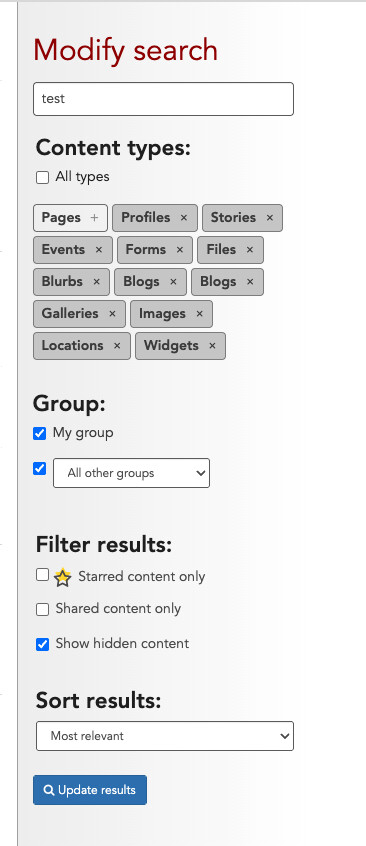
we have been experiencing strange behavior with the backend search feature. when you search for a term, the “Show all…” link beneath each content type does not display more items and just executes the search again.
in addition, the “Content types” filter does not seem to work. for example, if you uncheck a content type and execute search, it still includes results for that content type. similarly, if you uncheck all but one, the search results still includes all content types.
we are using LiveWhale CMS 2.21.1. this happens in both dev and production environments.
has anyone else seen experienced this behavior in search? i could not find a similar topic in the support forum.
Thanks for writing—and ah, yes, we see what you mean. We had this recently reported through our support channel and are aware of this backend search/filtering issue. We’ve been able to recreate the issue on our testing servers and our team is working on a fix for this little bug.
We’ll keep folks updated on this thread when we have more information, and in the meantime, apologies for any inconvenience and hassle this is causing when it comes to searching. Thanks again for reporting!
Rachael
Hi Steve (and anyone else who checks this thread and is experiencing the same)
We’ve been able to identify the issue here with those hidden checkboxes getting mis-set and are including it in our next release. As a quick workaround, if you open the types checkboxes and toggle them on and off to drill down to one type of content, that does appear to get the full results when searching to work around the “Show all results” link not expanding and displaying them all: