I recently moved some images from one group to another in tandem with moving some pages across groups. I checked the moved pages to find the images added to the pages were broken. I edited the page to reassign them, and they work fine now, but it still seemed odd.
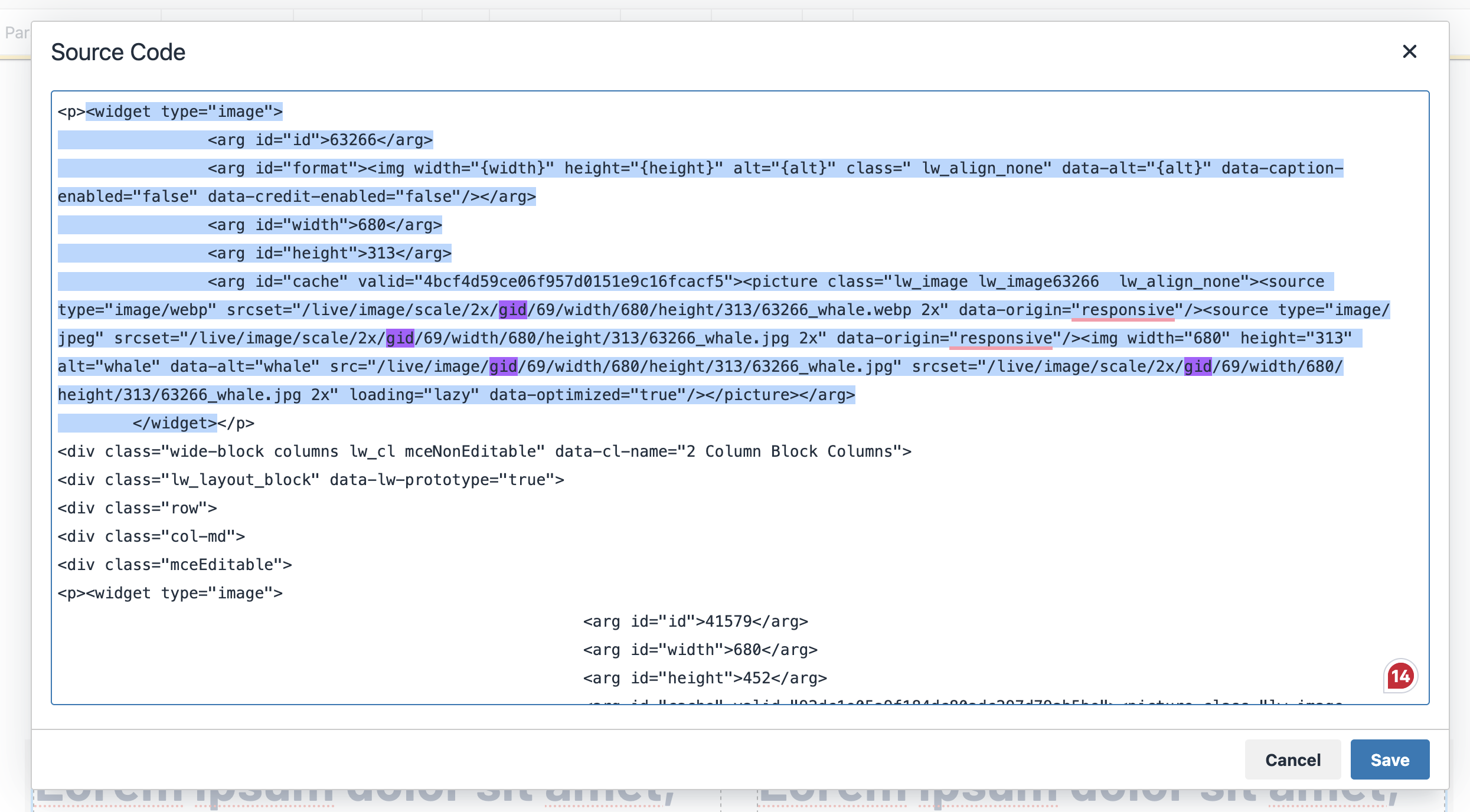
Looking a bit more closely, I noticed that the URL for images has the gid in it:
I suspect the gid mismatch– the original group doesn’t have this image– caused the broken images I saw.
Is the gid really necessary? The URL has the unique ID to get the single image, and images don’t appear to be sharable across groups to merit a per-group distinction. Maybe for more efficient lookup of images (search group, not all) when displaying?
In any case, sharing this as a potential pain point.
Lol. I literally just dealt with the same thing 10 minutes ago. Another LW admin was moving pages and associated images to a new group, and all of the images broke. I helped her by running find/replace in the source code to update the gid from the old to the new group.
It makes me wonder why we even have the ability to move images to new groups with the potential for breaking things like this.
Huh, that’s interesting – I thought the reference to an image used on an editable LiveWhale CMS page source was in the format <widget type="image"><arg id="id">etc..... and got translated to the /URL version that includes /gid/ only in the page rendering steps. I wonder how /live/image/gid/etc… got into the page source to begin with.
If one of you wants to provide steps to reproduce this for us, we can check it out on one of our test servers. Apologies for the inconvenience in the meantime. Thanks!