Commencement Events Widget

We typically have two commencement ceremonies in December and five in May. We create events for each ceremony. I am trying to think of a way that we could create a widget that would always show the next set of upcoming ceremonies. So, right now it would show the two December 2026 events, but after those pass, it would automatically show the five May 2027 events.

We can’t set a max arg. If we set the max to 5, that would work in the spring, but in the winter it would show the two December events plus three of the May ones. If we set the max to 2, it would work in the winter, but not show all of the events in the Spring.

We could set the end_date arg, but that would require us to change it manually after each semester, and that defeats the purpose of trying to automate it.

It would be cool if there was an arg that could be used to set how many days your widget should span. Not from today’s date, but relative to the date of the first event in the widget.

The best I can come up with is to use JS. I could use it to inject the events with some logic. Or I could include all upcoming events in the widget and use JS to hide the ones that don’t have the same date as the first one in the list.

Has anyone else dealt with this? How did you solve the problem? Or does anyone have any ideas I haven’t thought of?

This is generally how I’ve set up “fixed schedule” widgets, like student orientation schedules where we don’t want the early events disappearing.


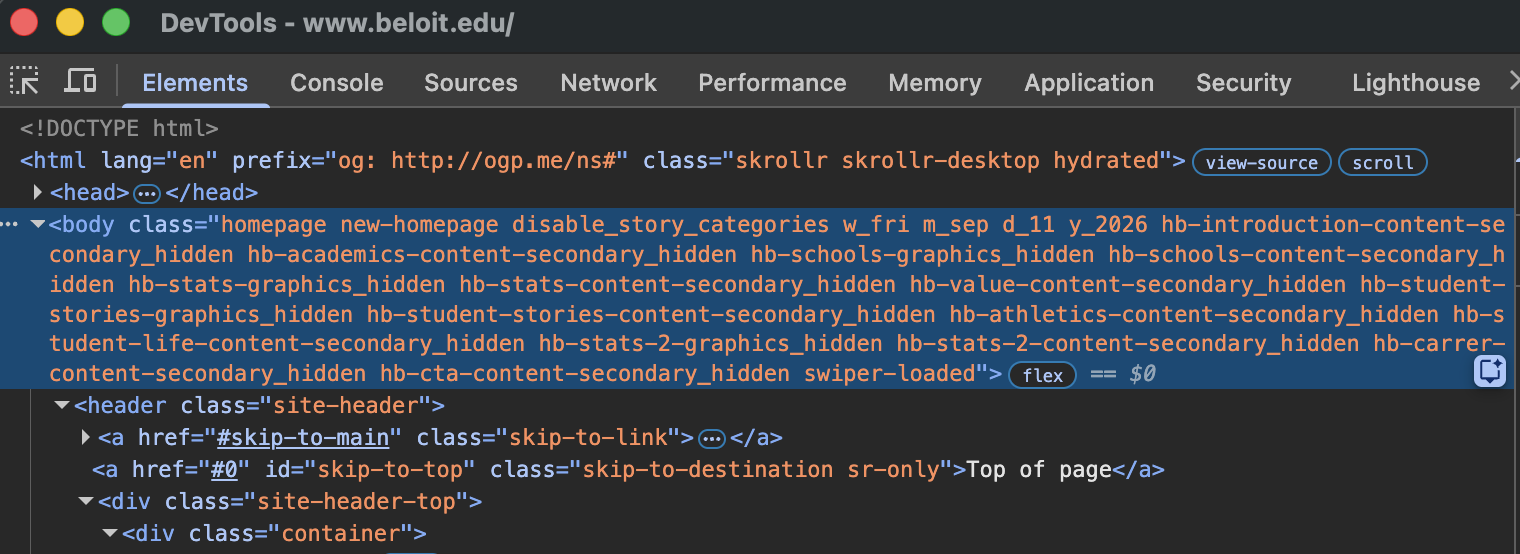
There’s variables that can be used to insert the server’s current date onto a page, such as <xphp var="server_date_year"/>. There might be something workable with that, or some custom module that can make the current year available where its needed. For example, I include elements of the current date as body_classes to enable some time-based CSS rules.

$date_classes = [
	'w' => 'w_'.strtolower(date('D')),	// day of week (sun, mon, ... sat)
	'm' => 'm_'.strtolower(date('M')),	// month (jan, feb, ... dec)
	'd' => 'd_'.date('d'),				// day (01, 02, ... 31)
	'y' => 'y_'.date('Y'),				// year (2020, 2021...)
];

foreach ($date_classes as $class) {
	$_LW->appendBodyClass($class);
}


The best idea I have for your need, assuming you can pass the current and next year to the widget, is a chain of fallback parameters/widgets:

  • Widget attempts to show Commencement events in May of the current year.
  • If nothing, then attempt to show Commencement events in December of the current year.
  • If nothing, then attempt to show Commencement events in May of next year.
  • If nothing, then nothing to show: leave blank or default message.

So, when spring events end, it jumps right to fall. When fall events end, it shows next year spring. When the year rolls over, it’s still showing spring events through the first set of conditions. All transitioning automatically after the last event ends (though it may be good to work in some buffer time).

Assuming that’s possible, of course. :upside_down_face: I think it suhould be, but I don’t have an working example to prove it.

Thanks,
Nick

1 Like

That’s clever. I may have to try that.

image

I’ve been playing with this a bit, and it seems to do exactly what I want. There is just one caveat and one more thing to work out.

Caveat: start_date and end_date args alone will always match events within that timeframe even after those events pass, unless they are hidden, deleted, or archived, which we don’t want to do. So the fallback args will never match. You need to specify that you only want events in the future, with a filter arg.

The thing I still need to figure out is how to get a variable for “next year”. You can use <xphp var="server_date_year"/> directly in the args to reference the current year, but I don’t believe there is an out-of-the-box way to get current_year+1. If I am mistaken, please let me know.

So, assuming commencement ceremonies only happen in May and December, this is what I have so far…

<!-- Only include events on/after today -->
<!-- Could adjust this to include a buffer if needed -->
<arg id="filter" name="date_dt" action="greater_than">today</arg>
<!-- Show events between May 1-31 of this year -->
<arg id="start_date">05/01/<xphp var="server_date_year"/></arg>
<arg id="end_date">05/31/<xphp var="server_date_year"/></arg>
<!-- If none, show events between December 1-31 of this year -->
<arg id="fallback">
    <arg id="start_date">12/01/<xphp var="server_date_year"/></arg>
    <arg id="end_date">12/31/<xphp var="server_date_year"/></arg>
</arg>
<!-- If still none, show events between May 1-31 of next year -->
<!-- Still need to dynamically generate "next year" for these args -->
<arg id="fallback">
    <arg id="start_date">05/01/2027</arg>
    <arg id="end_date">05/31/2027</arg>
</arg>
1 Like

Following with interest! I wonder if rather than start/end dates something with max_days might actually be easier to manage? Something like max_days=30 (so when one commencement is near it just shows that) with a fallback arg containing max_days=180 (so when it’s far, it just shows the next one)?

(We do have an additional “upcoming” date filter coming in LW3 but I don’t think that quite covers this situation anyhow.)

@karl That is an intriguing idea and simpler, but there is an issue with it.

Our May ceremonies span 2 days. If we use max_days=30 for the initial arg, then 30 days before commencement, only the first day’s events will display. Prior to that, the fallback arg would get them both. After that, the primary arg would get them both. But that one day, exactly 30 days before, would be a problem.

I thought that adding <arg id="min">3</arg> could solve the problem, since there are typically 2 events on the first day and 3 on the second day. But that would cause a problem in December when there are only 2 events total.

Perhaps the fallback could have <arg id="min">2</arg>?

(Also, adding this for future reference… the fallback would have to be at least 210 days instead of 180)

Mm, yeah. Or I suppose Timely content could be another approach here. On the page where you use the widget, maybe something like

<xphp content="true" end="May 30"><!-- until May 30... -->
<content><arg id="start_date">May 1</arg></content>
</xphp>
<xphp content="true" start="June 1"> <!-- after June 1... -->
<content><arg id="start_date">December 1</arg></content>
</xphp>

Would need a little noodling to make sure the PHP relative dates work the intended way, but I could see it maybe working.

Hmm, that might work too. I had considered timely content but dismissed it because I assumed it would need a year in the start and end parameters.

Two thoughts.

Why not just set <arg id="start_date">today</arg>? Assuming events can “fall off” the schedule as they pass, as the filter suggests, and assuming the events shown are limited by group/tag, setting start_date to today would solve the lingering issue I think. After all events pass, or when today > end_date, then it should return nothing and continue on.

You can define custom xphp variables. For instance, I have this in a public module to allow for groups widgets (I think from before they were a widget option):

<?
if (strpos($buffer, '<xphp var="group_list_public"')!==false) { 
  $groups = $this->getGroupData();
  $GLOBALS['group_list_public'] = $this->groupListTypesExclude($groups, ['Web Utility', 'Other'], 'alpha');
}; 

So, for the value of next year, you could include something like this:

<?
if (strpos($buffer, '<xphp var="server_next_year"')!==false) { 
  $GLOBALS['server_next_year'] = date('Y') + 1;
}; 

Or, potentially, you can use the custom variables to solve the first issue with something like this:

<?
if (strpos($buffer, '<xphp var="commencement_year_check_may"')!==false) { 
  $GLOBALS['commencement_year_check_may'] = date('n') <= 5 ? date('Y') : 1970;
}; 
if (strpos($buffer, '<xphp var="commencement_year_check_dec"')!==false) { 
  $GLOBALS['commencement_year_check_may'] = date('n') > 5 ? date('Y') : 1970;
}; 
if (strpos($buffer, '<xphp var="server_next_year"')!==false) { 
  $GLOBALS['next_year'] = date('Y') + 1;
}; 

Where we use the year 1970 in the end date to force the widget to return nothing.

So, perhaps something like this if you need to constrain to the month’s events specifically:

<arg id="filter" name="date_dt" action="greater_than">today</arg>
<!-- Show events between May 1-31 of this year -->
<arg id="start_date">05/01/<xphp var="server_date_year"/></arg>
<arg id="end_date">05/31/<xphp var="commencement_year_check_may"/></arg>
<!-- If none, show events between December 1-31 of this year -->
<arg id="fallback">
    <arg id="start_date">12/01/<xphp var="server_date_year"/></arg>
    <arg id="end_date">12/31/<xphp var="commencement_year_check_dec"/></arg>
</arg>
<!-- If still none, show events between May 1-31 of next year -->
<arg id="fallback">
    <arg id="start_date">05/01/<xphp var="server_next_year"/></arg>
    <arg id="end_date">05/31/<xphp var="server_next_year"/></arg>
</arg>
Or perhaps more simply if events are well-defined or filtered by tag/group:

<!-- Show events between May 1-31 of this year -->
<arg id="start_date">today</arg>
<arg id="end_date">05/31/<xphp var="commencement_year_check_may"/></arg>
<!-- If none, show events between December 1-31 of this year -->
<arg id="fallback">
    <arg id="start_date">today</arg>
    <arg id="end_date">12/31/<xphp var="commencement_year_check_dec"/></arg>
</arg>
<!-- If still none, show events between May 1-31 of next year -->
<arg id="fallback">
    <arg id="start_date">05/01/<xphp var="server_next_year"/></arg>
    <arg id="end_date">05/31/<xphp var="server_next_year"/></arg>
</arg>

@karl I have been playing with Timely Content, and I think this is working…

<widget id="4573_events_commencement_test_widget">
    <xphp content="true" start="January 1" end="May 31">
        <content>
            <arg id="start_date">May 1</arg>
            <arg id="end_date">May 31</arg>
        </content>
    </xphp>
    <xphp content="true" start="June 1" end="December 31">
        <content>
            <arg id="start_date">December 1</arg>
            <arg id="end_date">December 31</arg>
        </content>
    </xphp>
</widget>

I noticed that the documentation for Timely Content says you can preview other dates by adding something like ?lw_preview_date=April 7 to the URL. Is the preview date always relative to the current year? Adding that exact parameter to my page shows the May events from this year (past events). But if I try to add a year to the parameter, say, ?lw_preview_date=2027-04-07, it does not work. It lists all events from December 2026 and into the future.

Again, I think this will probably work, but I’m looking for a way to test it against future dates.

1 Like

Thanks Jon, in general most LW date applications use PHP’s date parsing which is rather forgiving (assumes current year, for example). But it also is pretty good at parsing “full-er” dates, so I think you could try like ?lw_preview_date=2027-02-01 kinda thing and I bet that would get you useful comparisons.

@karl That’s exactly the format I tried, and it does not produce the expected results.

Test Page Examples with the exact widget/xphp syntax from my last post above:

  • No parameters in the URL - https://www.angelo.edu/commencement/testing-a-widget.php
    • :white_check_mark: Shows the December events for this year
  • Year-less date in the URL - https://www.angelo.edu/commencement/testing-a-widget.php?lw_preview_date=February%201
    • :white_check_mark: Displays past dates from May of this year
  • Precise date with current year in the URL - https://www.angelo.edu/commencement/testing-a-widget.php?lw_preview_date=2026-02-01
    • :white_check_mark: Displays past dates from May of this year
  • Precise date with next year in the URL - https://www.angelo.edu/commencement/testing-a-widget.php?lw_preview_date=2027-02-01
    • :x: Shows all events from December of this year onward.

I suspect this is just an issue with the preview date logic, and the widget would work in practice. I just can’t seem to test/verify that.

Hmm – does using &lw_widget_transcripts=1 and inspecting the widget transcript for your test widget help shed any light, I wonder?

I was not aware that &lw_widget_transcripts=1 was a thing. That’s cool.

But no, I don’t see anything useful in there. The transcript looks the same with and without ?lw_preview_date=2027-02-01 in the URL.

Given the fall semester commencement is in December, and assuming you’re willing to allow the events to linger for a little while after, do you need the “next year” segment anymore?

Can it just flip flop between spring (Jan-May) and fall (June-Dec), fixed schedule?

I don’t think I need the next year segment anymore. I’m just trying to test to make sure everything will work when the calendar year flips over. I assume it will.

Ah, I see now. :upside_down_face:

I can’t prove it, but having used timely content significantly for our homepage and scheduling down to the hour, I can assert that it should work like you expect it to. I’m not sure what to advise for testing with a preview date in another year…

For some confidence, perhaps set up a test for tonight from end="September 15" to start="September 16"? If that works, then Dec 31 moving back to Jan 1 should also work.

1 Like

I also like that the timely content approach allows us to build in some buffer after commencement during which the events will still display. As long as everyone understands that the buffer after December commencement cannot last past Dec. 31, because in January 2027, the “december events” will refer to December 2027, not the ones that just passed in December 2026.

1 Like

For the record, I have updated our commencement page to use timely content. From Jan. 1 - May 31, it shows events from May 1-31 of the current year. From June 1 - Dec. 31, it shows events from between Dec. 1-31 of the current year. This seems like it will greatly simplify the management of that page, as I will no longer have to switch out or update widgets each semester.

Examples:
https://www.angelo.edu/commencement/?lw_preview_date=January%201
https://www.angelo.edu/commencement/?lw_preview_date=June%201

Thank you, @mischlern and @karl, for the ideas and assistance.

2 Likes